For Australian life insurance advice practices
The agentic back office for risk advice practices
One workspace to quote across Australia's insurers and build the compliant advice file. Plus an AI agent that reads your practice's own CRM data, shows its tool calls as it works, and asks before it writes anything. Forward an insurer email and it gets filed. Compare an in-force policy to market in one click.
We're onboarding practices in small groups. Apply and we'll set up a demo with you.
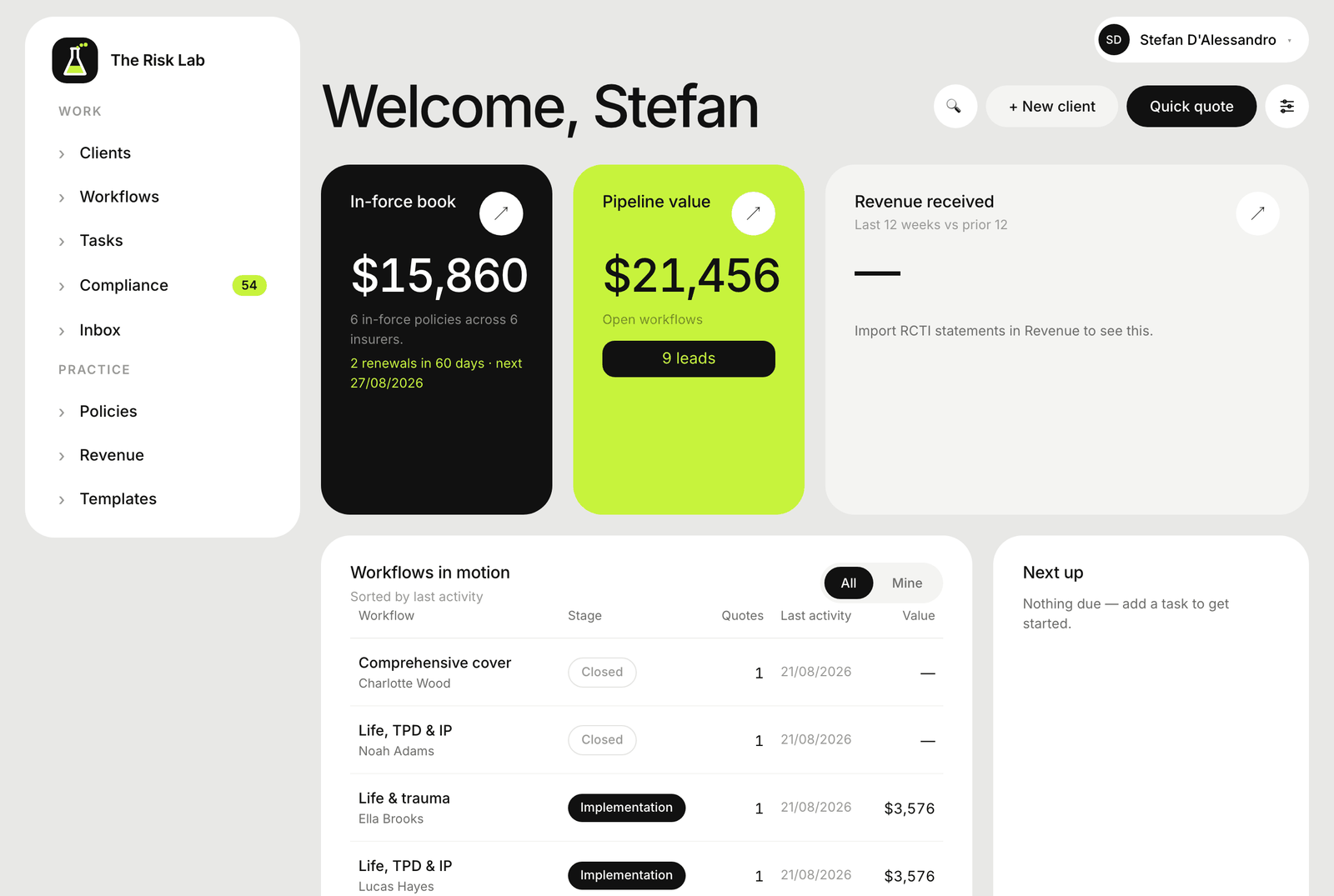
What it does
Built around the actual advice process, with an agent inside it
Not a generic CRM with insurance fields bolted on. Every part of it maps to a step a risk adviser already does, and an AI agent can look things up and act inside it too, with your confirmation before anything gets written.
01
Quote the major insurers at once
Enter a client's details once and compare cover and real premiums across Australia's major life insurers in a single screen. No re-keying the same numbers into a separate portal for each insurer.
02
Compliance that builds itself
Every advice file carries its own compliance checklist, and evidence resolves onto it automatically as you quote, document and sign, so there's no separate spreadsheet to keep in sync. Workflow steps tick themselves as the file moves, and follow-up tasks land on the right dates without anyone setting reminders. Any waived item is logged, so it's there at review time, not explained away from memory.
03
One portal, branded to your practice
Each client gets a single verified link to their own portal (emailed code or date of birth), showing your practice's logo and colours, not ours. Progress in plain English, their documents, and a way to update their own details without an email back and forth.
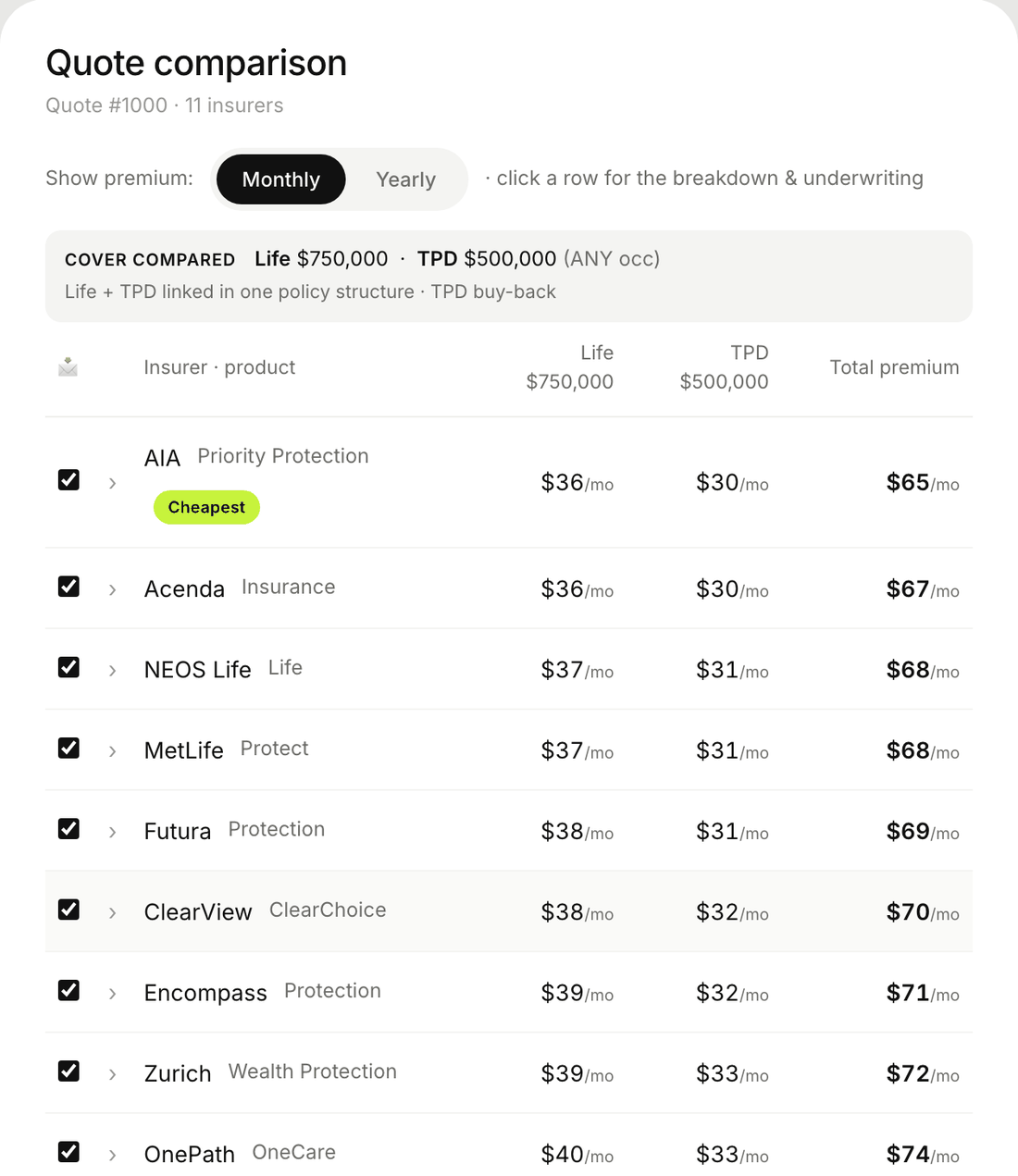
Quote comparison
One comparison, real premiums.
04
Signing, without a separate tool
FSGs, disclosures and the acceptance authority go out for signing straight from the advice file, with each client confirming it's them using a code we email them. The signed certificate sits on the record, so there's no separate e-sign platform to log into.
05
Ask your CRM anything
The practice chat looks up clients, policies and tasks from your own data and shows each tool call as it runs, not just a final answer. Anything that would change a record needs your confirmation first.
06
Forward it to the agent, it does the filing
Send an insurer approval, a requirement, a commission statement or client mail to agent@therisklab.online. It files the attachment against the right client, moves the application stage on, creates a task if one's needed, and replies to you with what it did, so there's an audit trail. Pointing your mail at the address is a short setup step, not automatic on signup.
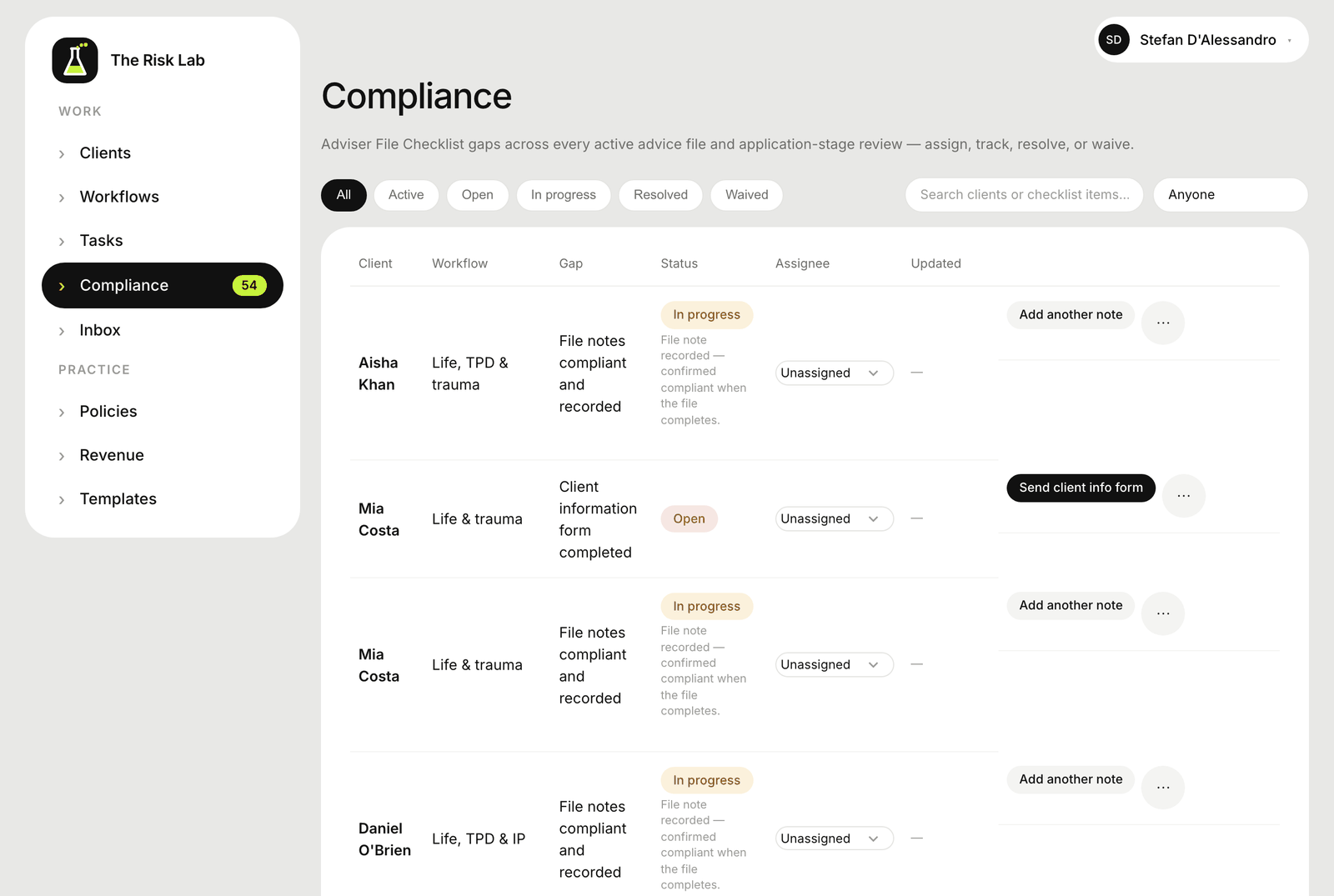
Compliance board
See what's missing before it costs you at review.
07
Compare a policy to market, one click
Open any in-force policy on a client's record and run "compare to market" against the cover already on file. No re-entering the details you already have to see how it stacks up.
08
Let your own AI tools work inside your practice
Connect Claude, ChatGPT or an automation tool with a secure key, and it can quote, check compliance and read client data for you. Each practice gets its own address and keys. Setup takes a few minutes, and nothing is switched on until you do it.
09
Send from your own mailbox
Emails to clients and insurers go out through your practice's own Microsoft 365 mailbox, not a shared sender address. Connecting your mailbox is a one-off authorisation step.
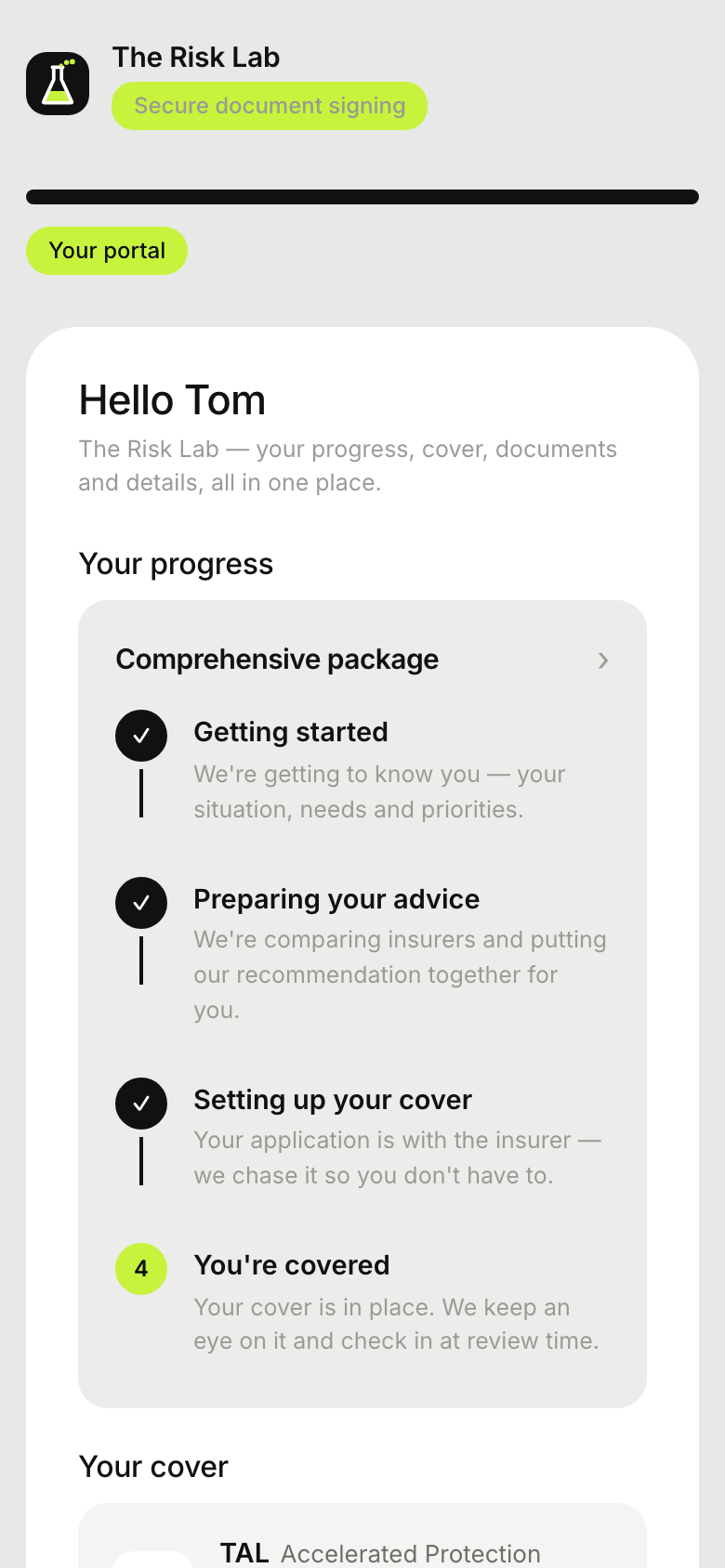
Client portal (mobile)
Clients check progress without calling you.
Live quoting with insurers including







Connects to what you already use
Fireflies and Granola sync meeting notes straight into the file. Point your insurer and client mail at agent@therisklab.online (a short setup step for your practice) and it gets read, filed and actioned with a reply for the audit trail. Connect Microsoft 365 to send from your own mailbox. Claude, ChatGPT and other AI tools can quote, write file notes and check compliance through a secure connection (MCP), using your practice's own address and keys.
Pricing
Per-seat pricing, no setup fee
Every plan starts with a 14-day free trial, no credit card required. Sign up, invite the rest of your practice, and add seats as you go.
Loading plans…
Questions
A few things worth knowing
Where is my data hosted?
In an AU-region Supabase database. This is practice software built for Australian life insurance advisers, so client data stays in Australia.
Do I need a credit card to start the trial?
No. Sign up with your practice and login details and you're in, no card required for the 14-day trial.
Is this financial advice, or does the software give advice?
The Risk Lab is practice software for AFSL holders and their authorised representatives. It doesn't hold a licence and doesn't give personal advice. The public education hub is general information only and isn't a substitute for your own licensee's advice framework.
What happens when my trial ends?
You keep your account and all your data, and nothing is deleted. Your account becomes read-only until you choose a plan, then everything works again. We'll be in touch before your trial ends.
Is my client data segregated?
Yes. Every practice is a separate organisation in the system, and client records, documents and revenue never mix with another practice's. Inside a practice, you can limit each adviser to their own clients, and every client portal link is identity-verified (emailed code or date of birth) and unique to that client, so a shared link can't open someone else's file.
Can AI tools work my files?
Yes. Each practice gets its own address and API keys, so AI tools like Claude and ChatGPT, or an automation tool like n8n, can quote, write file notes, check compliance status and move work along, not just read data out of it. (The technical name for the connection is MCP, the Model Context Protocol.) Connecting a tool is a short setup step with the address and a key, and it isn't switched on automatically.
What happens when I forward an email to the agent?
Send it to agent@therisklab.online. It reads the email and any attachment, files it against the right client, moves the application stage on or creates a task if one's needed, and replies to you saying what it did, so there's an audit trail. Pointing your practice's mail at the address is a short setup step on your side, it isn't instant on signup.
Can I compare an existing policy without re-quoting from scratch?
Yes. Open any in-force policy on a client's record and run "compare to market". It reuses the cover and client details already on file instead of asking you to re-enter them.
Can I send from my own email address?
Yes, for Microsoft 365 mailboxes, with a one-off connection step. Client and insurer emails then go out under your own practice address instead of a shared sender. Gmail support is planned, not live yet.
Do you support referral arrangements?
Yes. Set an upfront and trail percentage on a referral partner, and the revenue report breaks out their share, clients, policies, upfront share and trail share per year, alongside the rest of your book. It's reporting today, not automated payment splitting.
Set it up and watch the agent work
See your own clients in it: the quote, the advice file, the compliance checklist and an agent that can look things up and file insurer mail, free for the length of the trial.
Join the waitlist